In your client’s call
Send your room camera and session cards through your video-call app. Clients see the take beside you, with no extra app to install.
Staged, generated photo; custom Booth Amber layout rendered by SessionHUD.
Show live Pro Tools take numbers, record status and elapsed time in your client’s video call, on the booth monitor and on the producer’s tablet.
The take updates when you record, stays visible when you stop, and goes onto a take sheet you can mark up and export.
One app on your Mac. Nothing for your clients to install.
macOS 15 or later · Pro Tools 2023.9 or later
No Pro Tools plugin required.
All four outputs, the take sheet and built-in presets. No sign-up.
Custom layouts and branding require a paid license.

Give each person the view they need. Remote clients see your virtual camera in the call; tablets and laptops open the browser viewer on the same local network as your Mac.
Send your room camera and session cards through your video-call app. Clients see the take beside you, with no extra app to install.
Staged, generated photo; custom Booth Amber layout rendered by SessionHUD.
Fills any connected monitor, such as the one in the booth, sized for talent to read at distance.

Open the browser viewer on an iPad, laptop or phone on your studio network. Turn on Background follows transport for a record light as well as a take display.
A floating panel on your desktop, over Pro Tools, at the size and opacity you choose.
Choose the data fields people need, then arrange and resize them on a canvas, where they snap into line and never overlap. Change colors and type, and add your studio’s logo.
For ADR, change the visible label from Track to Cue. It still reads the recording track; the label doesn’t add a cue-management integration.
The 14-day evaluation includes all four outputs and their built-in presets. Design an Evaluation Layout on each output, from scratch or from any preset, and try preset colors and type; as many layouts as you need, editable presets and your own branding unlock with a license.
Save reusable layouts, then export and import them for another room or workflow. Each layout belongs to its supported output type.


The camera designer combines session cards, a room camera and your logo in a finished video frame. This branded camera layout is a separate example from the HUD Window’s ADR Slate shown above.
These are the panels for the HUD Window and Browser Viewer, shown in a selection of profiles and typefaces. Follow a Full Screen link to see the booth composition.

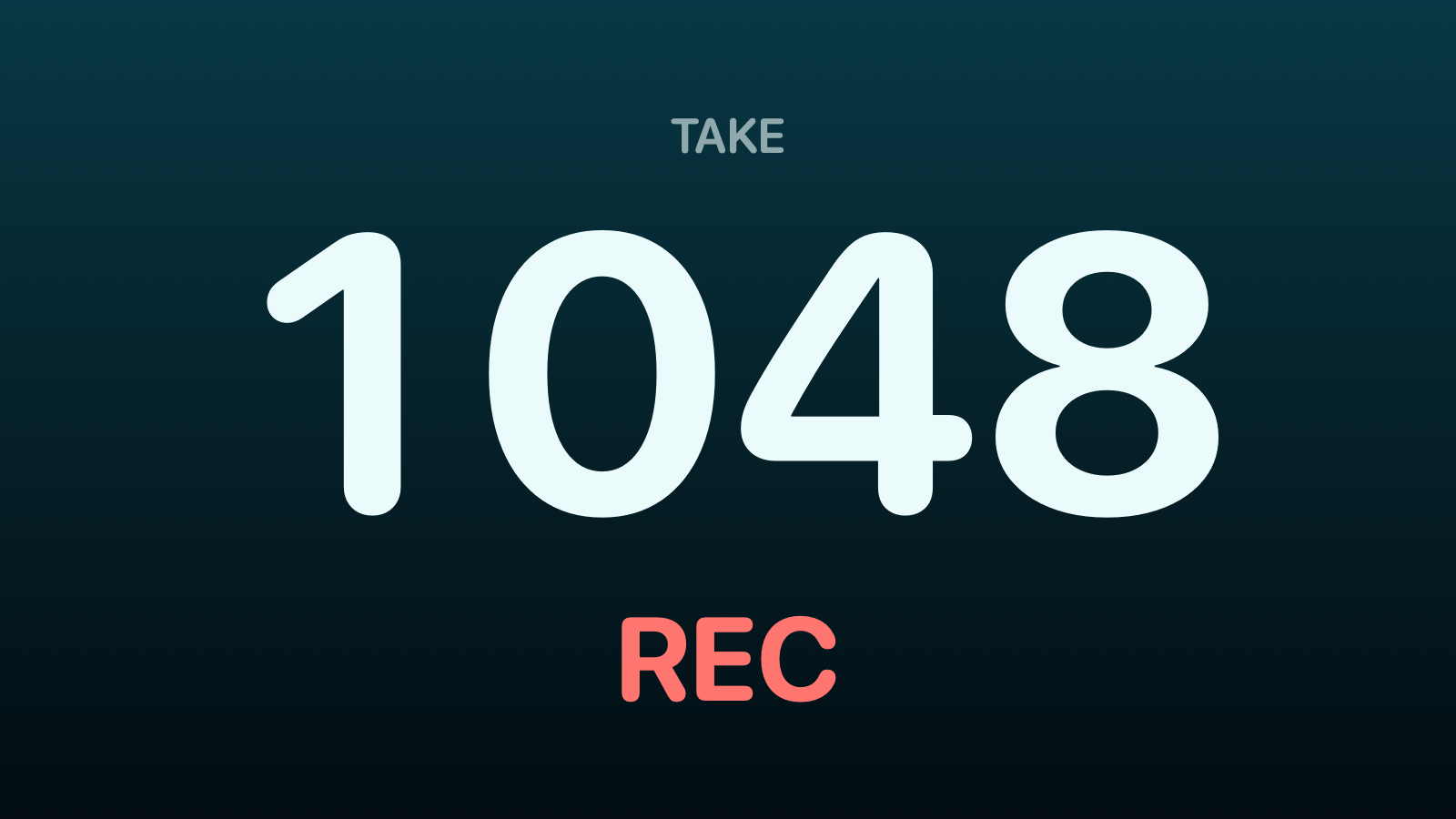
Simple Deep Sea profile Rounded type The take number and transport, centered for a quick glance. View Full Screen

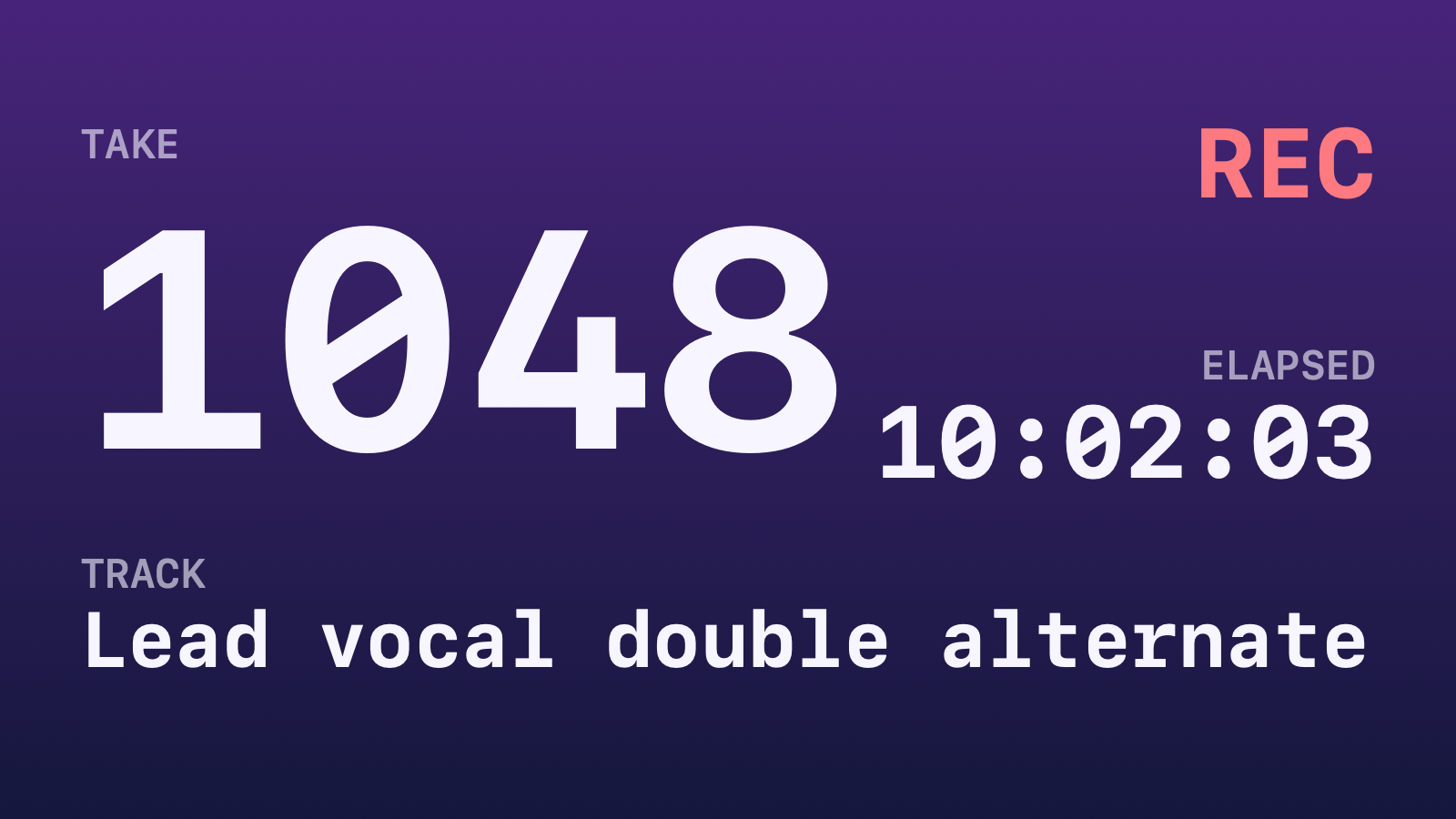
Normal SessionHUD profile Neutral type The current take, recording track and elapsed time. View Full Screen

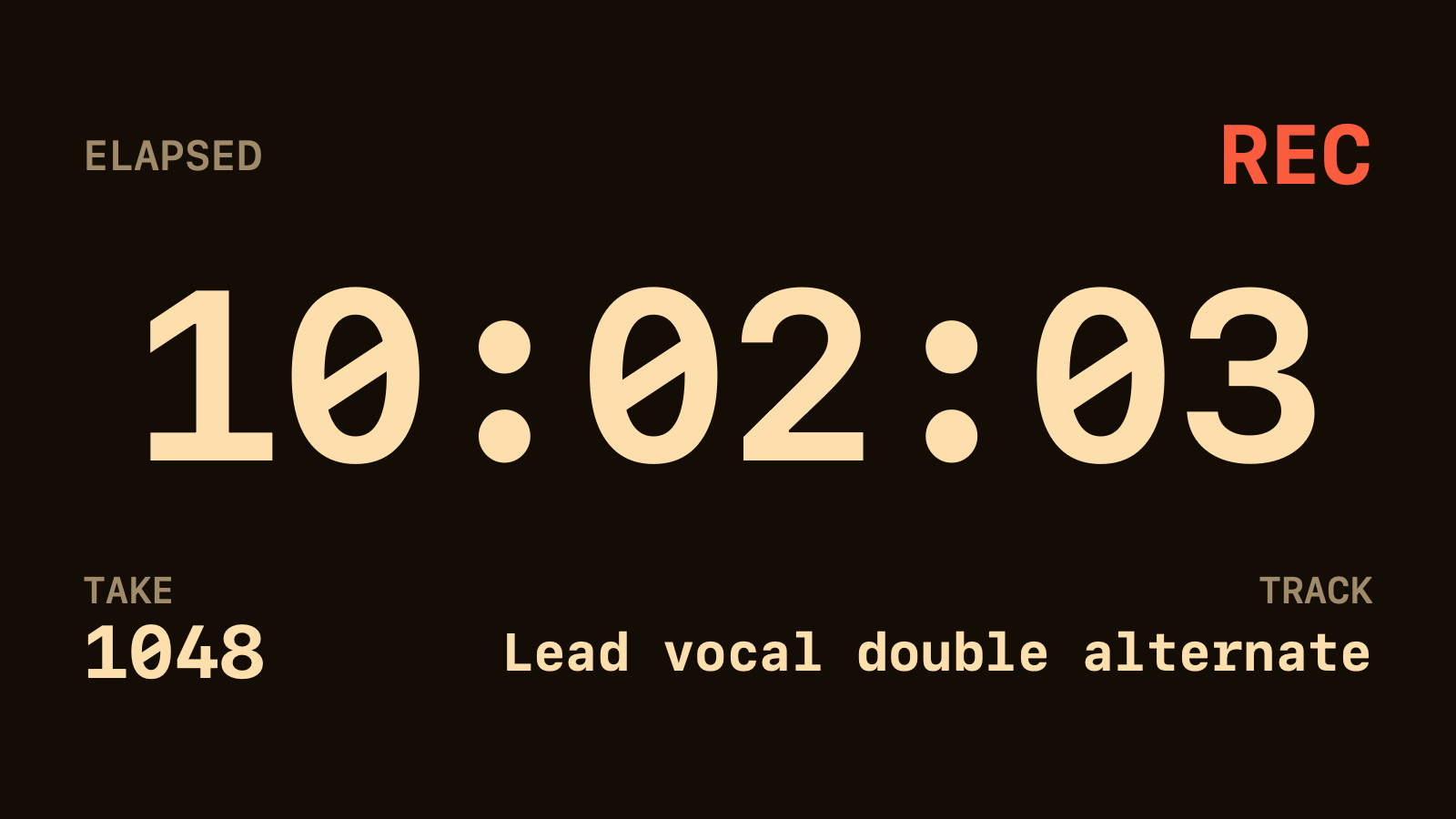
Timer Booth Amber profile Monospaced type Elapsed time is the largest value on the panel. View Full Screen

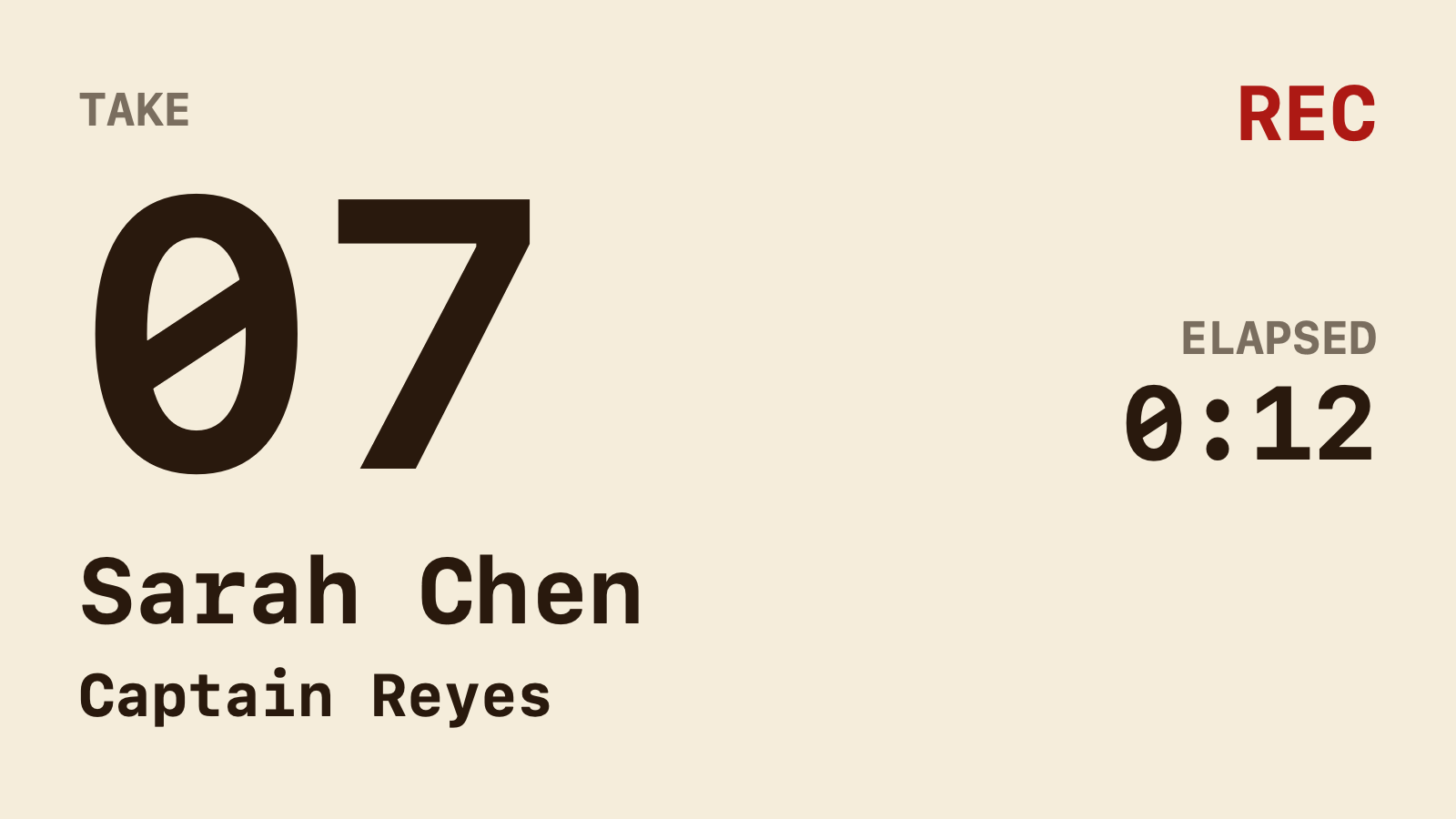
Talent Parchment profile Monospaced type Take and recording status first, with performer and role underneath. View Full Screen

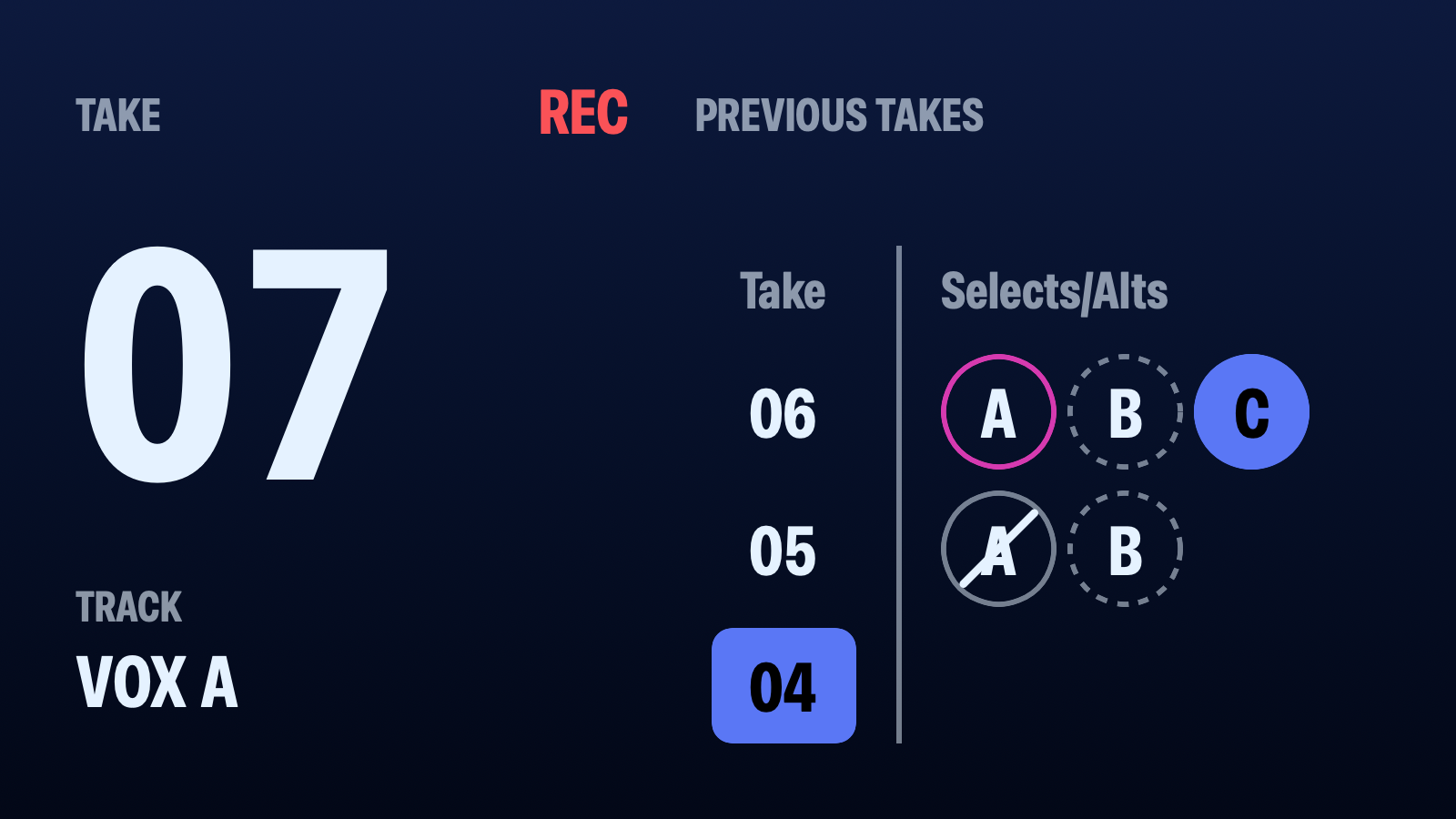
Detailed Midnight profile Condensed type The live take and track beside the previous three takes and their marks. View Full Screen

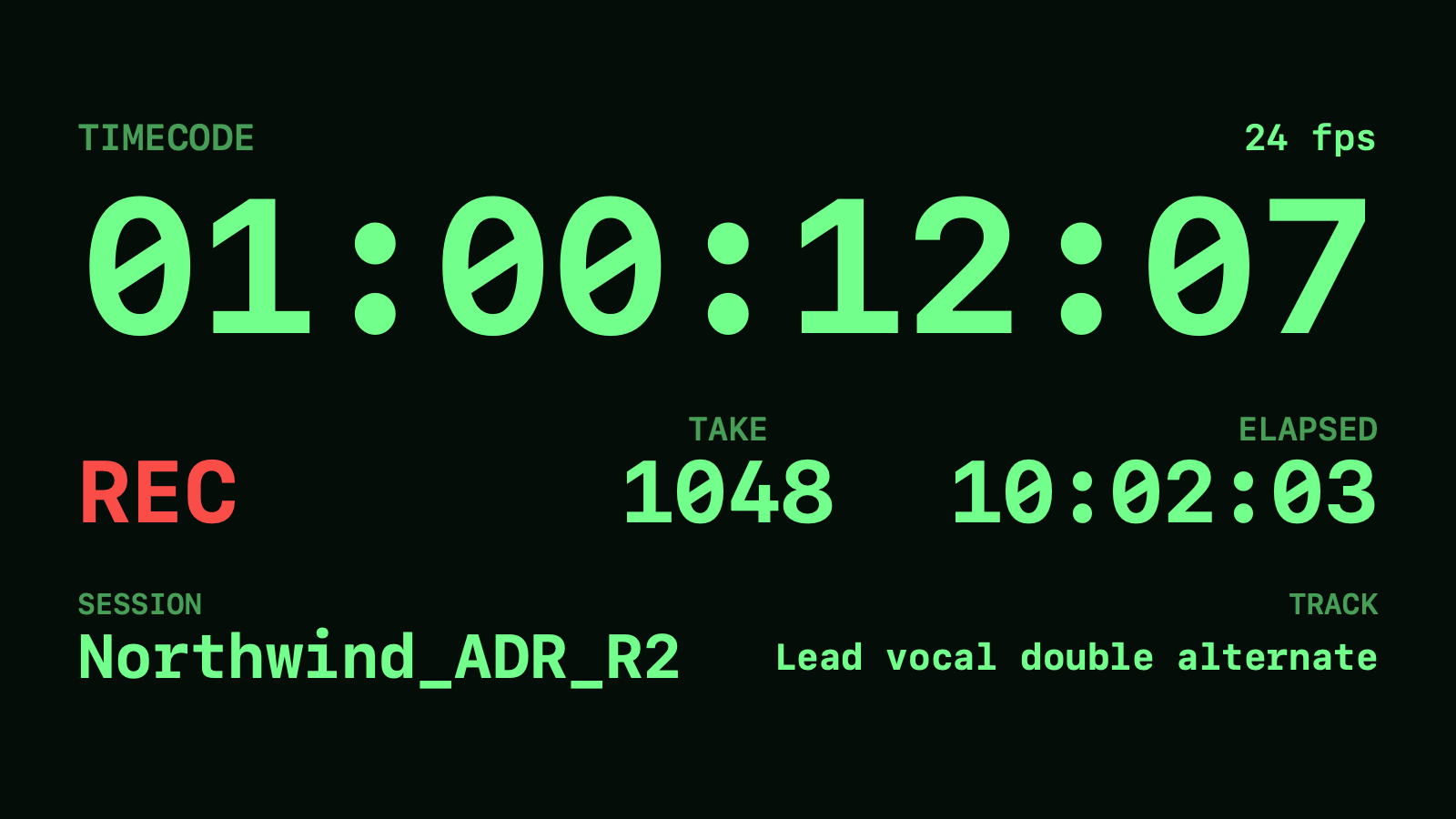
Timecode Cyber profile Monospaced type A large timecode clock with the frame rate and session context. View Full Screen

Banner Paper profile Monospaced type One strip for the take, elapsed time, track and transport.

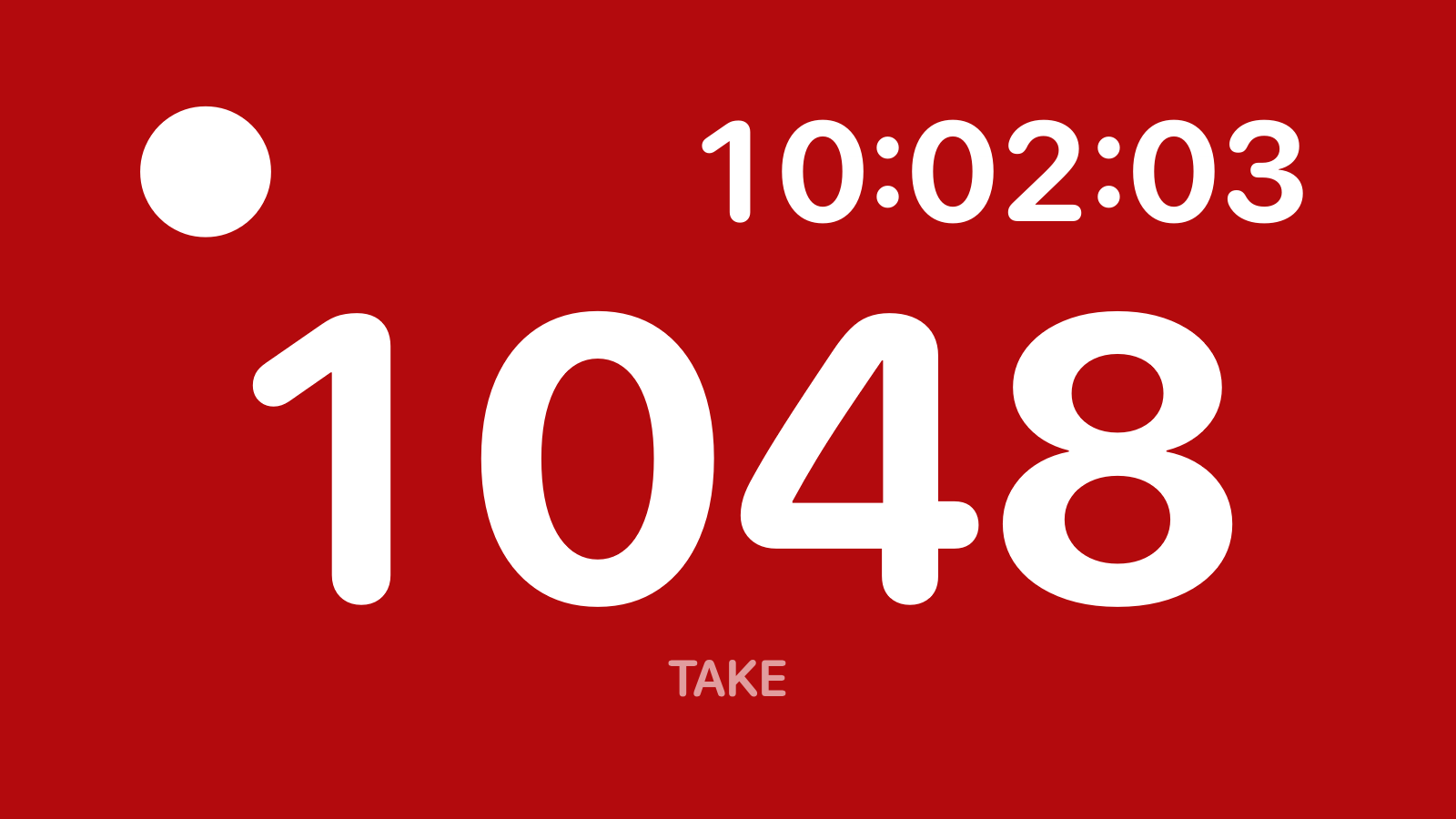
Lamp Transport tally Rounded type A recording light beside elapsed time, with the take below. View Full Screen

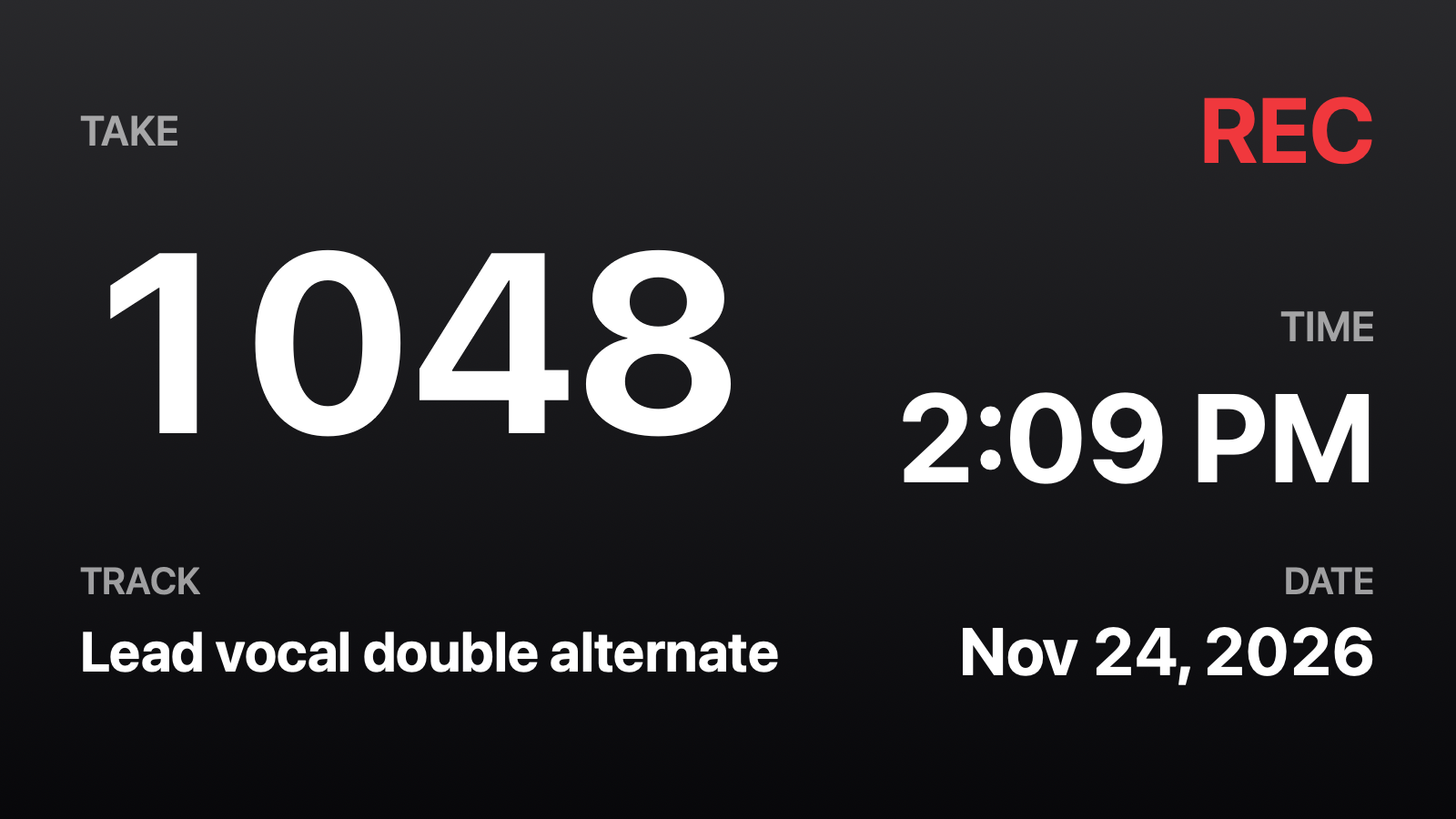
Clock & Take Graphite profile Neutral type The take number beside the time of day, with the date below. View Full Screen

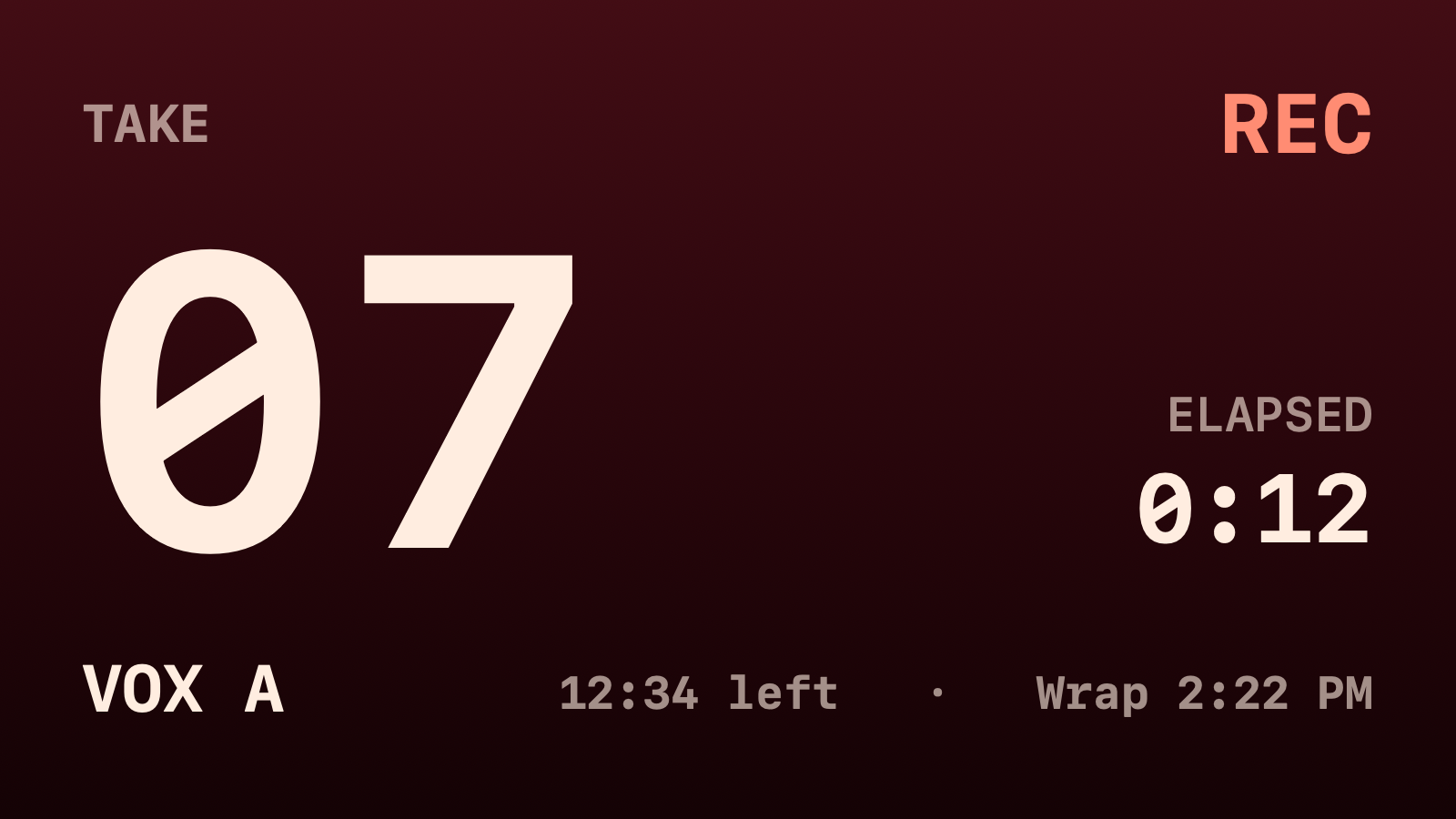
Producer Oxblood profile Monospaced type The take and elapsed time, with time left and wrap time in a quiet footer. View Full Screen

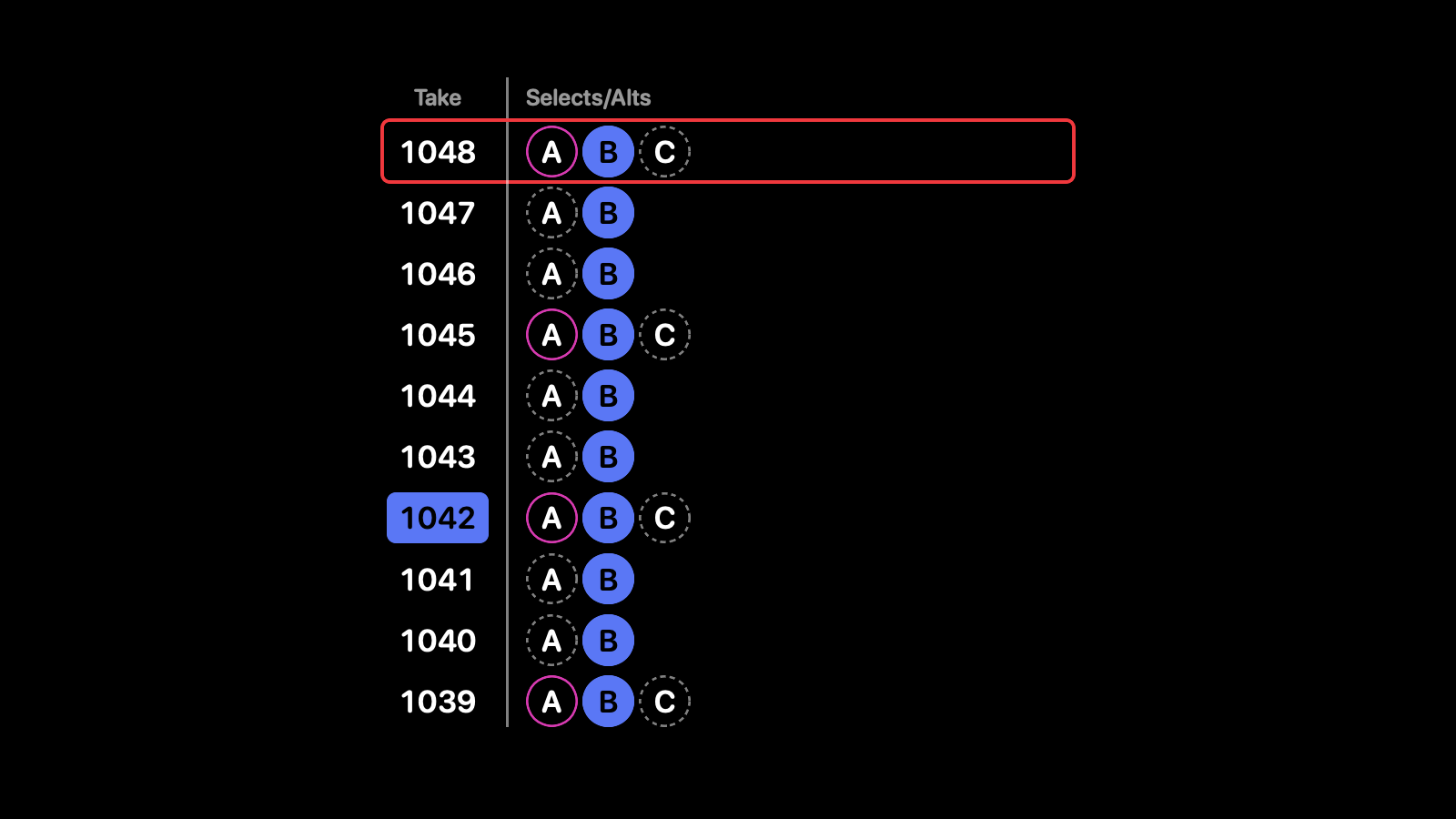
Take Log Studio Dark profile Rounded type Four recent takes on a panel, or ten in a centered table on Full Screen. View Full Screen
SessionHUD reads Pro Tools and the files it creates as you record.
The take sheet logs each record pass for you. Mark selects and alts, tag takes and type the script line as you go, then export the sheet for the client and the editor. Choose Take Log to put those marks on the producer’s tablet or the booth monitor while the session is running.

Combine live session values with the Mac’s clock and context you type yourself. Choose what each layout shows.
Take, recording track, record status, elapsed time, timecode and session format. Timecode follows the transport by itself; MTC makes it exact.
Time of day and date, or a countdown to the end time you set. The countdown reaches zero and stays there.
Talent, role, client, project, engineer and notes. These names are typed in Session Controls, rather than extracted from Pro Tools.
Created by a post-production audio engineer with fifteen years in the room, still running Pro Tools every working day.
A client misses the slate. The director checks a note. Someone asks which take that was. Keeping the number visible means fewer repeated announcements and less confusion when the session gets busy. Keep the slates your production needs; give everyone a shared reference between them.
SessionHUD relaunches next week as Final Slate: the same app under a new name. Until then it can’t be downloaded or evaluated. A license you already have keeps working.
Already have SessionHUD? Your account has your serial number, receipts and download, and is where you add a Mac or manage a subscription.